
Why Xeams Blocks Certain IP Addresses
A plain-language guide to Xeams' automatic IP blocking, why it matters for your organization's security, and how to make sure addresses you trust are never caught by mistake.
Every day, mail and web servers exposed to the internet are probed by automated bots, scanners, and attackers looking for weaknesses. Xeams includes a built-in protection layer that watches for this kind of abusive traffic and automatically blocks the IP addresses responsible for it. This article explains how that protection works, why it's an important part of keeping your server secure, and how to make sure it never interferes with legitimate users, partners, or integrations.
What triggers an IP block
Xeams continuously monitors incoming requests to both its web administration console and its mail services. An IP address is only added to the block list when it repeatedly exhibits behavior that is strongly associated with attacks or automated abuse — a single unusual request will never get an otherwise well-behaved visitor blocked. The most common triggers are:
| Trigger | What it means |
|---|---|
| Repeated "page not found" errors | An IP address requesting many non-existent pages in a short window is typically a bot scanning the server for forgotten admin panels, backup files, or known software vulnerabilities. |
| Cross-site scripting (XSS) attempts | Requests that contain script injection payloads in form fields or URL parameters are flagged immediately, since a real user has no reason to submit this kind of data. |
| SQL injection attempts | Requests crafted to manipulate database queries are treated as a direct attack signature. |
| Known malicious sources | Xeams cross-references public reputation databases (DNS-based block lists and forum-spam registries) that track IP addresses already known for abuse elsewhere on the internet. |
| Tor exit nodes | If enabled, Xeams can treat traffic exiting the Tor anonymity network as higher risk, since it is frequently used to mask the origin of automated attacks. |
| Administrator action | An administrator can always block a specific IP address manually from the admin console. |
Why this matters for security
Automatic IP blocking is one of the simplest and most effective defenses against the constant background noise of internet attacks. It protects your organization in several concrete ways:
- Stops reconnaissance early. Attackers typically probe a server before attempting a real exploit. Cutting them off during the scanning phase prevents them from ever finding a way in.
- Reduces load on your server. Bots that hammer a server with requests waste CPU, bandwidth, and log storage. Blocking them keeps resources available for legitimate users.
- Limits exposure of the admin console. Repeated attempts to reach non-existent admin URLs or inject scripts are hallmarks of someone trying to find a way into your management interface. Blocking the source shuts that avenue down quickly.
- Keeps a record for review. Every blocked address is logged with when it was first seen, how many times it offended, and why — giving administrators visibility into attack patterns against their server over time.
What happens when an IP is blocked
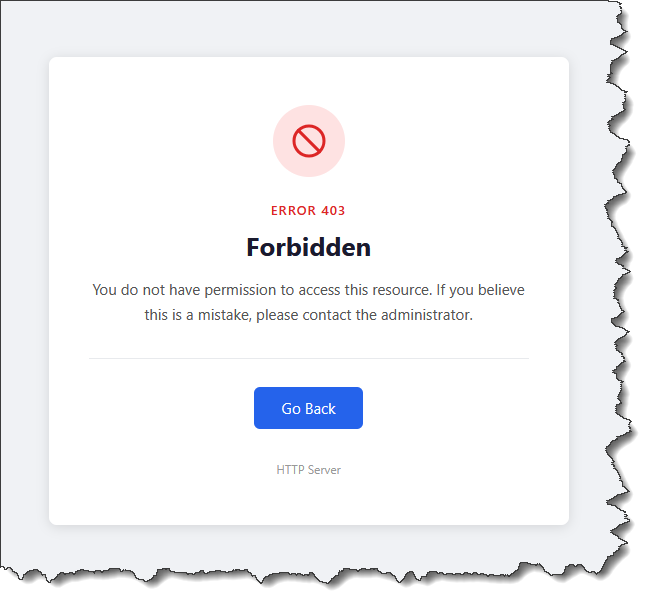
Once an IP address is blocked, further requests from that address to the Xeams web interface receive a standard "403 Forbidden" response instead of reaching the application, as shown below.
Making sure trusted IP addresses are never blocked
Because Xeams blocks purely on behavior, a trusted partner, remote office, or monitoring service could in theory trigger the same thresholds as an attacker — for example, a vulnerability scanner your own security team runs against the server. To guarantee those sources are never blocked, Xeams provides an explicit allow list.
1. Add the address to the Friendly IP list
Any IP address, CIDR network range, or hostname suffix added to the Friendly IP list is exempt from automatic blocking entirely. Requests from these addresses are never evaluated against the blocking rules, no matter how many errors they generate.
- Open the file config/FriendlyIP.txt in your Xeams installation folder (the
path can be customized with the
path.4.friendly.ipsystem property). - Add one entry per line. You can list a single address (
123.45.67.89), a CIDR range (192.168.1.0/24), or a trusted hostname suffix. - Lines beginning with
#are treated as comments and ignored. - Save the file. There is no need to restart Xeams — changes are picked up automatically.
# Example config/FriendlyIP.txt
# Office network
192.168.1.0/24

# A trusted partner or monitoring service
123.45.67.89

# Anything resolving under our own corporate domain
mycompany.com
2. Review and release an address from the admin console
If a trusted address was already blocked before being added to the Friendly IP list, an administrator can remove it immediately from Admin Console → Security → Blocked IP Management. This page lists every currently blocked address along with when it was first seen, how many times it offended, and which rule flagged it, and allows an administrator to release any entry with a single click.
3. Disabling this feature
To permanently disable this feature, go to Server Configuration, select the Advanced tab, and uncheck "Block malicious IP addresses".
Additional Logging
Consider enabling additional logging in Xeams if you see too many false positives. These logs will help you identify what each IP address does that leads to a block. Use the following instructions to add these logs.
- Locate the logconfig.xml file in the Xeams installation folder.
- This file has two sections: near the top, you will see tags for "appender," and near the bottom, you will see "category."
- Locate the area where the last appender tag ends and the first category tag begins.
- Paste the following lines between the last appender tag and the first category tag.
<appender name="BadHttpRequests" class="org.apache.log4j.RollingFileAppender"> <param name="File" value="logs/BadHttpRequests.log" /> <param name="Append" value="true" /> <param name="MaxFileSize" value="5MB" /> <layout class="org.apache.log4j.PatternLayout"> <param name="ConversionPattern" value="%d %-5p %c{2} - %m%n"/> </layout> </appender> <appender name="HttpAttacks" class="org.apache.log4j.RollingFileAppender"> <param name="File" value="logs/HttpAttacks.log" /> <param name="Append" value="true" /> <param name="MaxFileSize" value="5MB" /> <layout class="org.apache.log4j.PatternLayout"> <param name="ConversionPattern" value="%d %-5p %c{2} - %m%n"/> </layout> </appender> <category name="HackerLog" additivity="false"> <priority value="DEBUG"/> <appender-ref ref="HttpAttacks"/> </category> <category name="BadHttpRequests" additivity="false"> <priority value="DEBUG"/> <appender-ref ref="BadHttpRequests"/> </category> - Restart Xeams after saving the file. Now you should see two new files in the logs folder:
BadRequests.logandHttpAttacks.loggiving you more information about individual IP addresses.
Frequently asked questions
Will this ever block a real customer or visitor by accident?
It's designed not to. Blocking only happens after a clear pattern of abusive behavior, local and private addresses are always exempt, and any address on the Friendly IP list is never evaluated in the first place. If you believe a legitimate visitor was blocked, add their address to the Friendly IP list and release the existing block from the admin console.
Does a blocked IP stay blocked forever?
No. Blocked entries are automatically cleaned up after a period of inactivity, so an address that stops sending abusive traffic will eventually age out of the list on its own. Administrators can also remove an entry manually at any time.
Can I turn this feature off?
Automatic blocking is a configurable security control and can be enabled or disabled by an administrator. Synametrics recommends leaving it enabled, since it is one of the lowest-effort, highest-value defenses against automated internet attacks. Refer to the instructions above if you decide to permanently disable this feature.