Integrating Wix with Xeams To Programmatically Modify DNS Records
Many features in Xeams require modifications to your DNS server. Integrating Wix with Xeams makes such modifications a breeze. The following features in Xeams require TXT records in a DNS server:
- SPF
- DKIM
- DMARC
- MTA-STS
- Let's Encrypt - when using DNS for the challenge
Benefits
Consider the following scenario as an example:
- You have a domain
example.comthat uses Wix's DNS server. - You want Xeams to create a new DKIM keys. You go to Filter Management/DKIM and add
example.comas your domain.
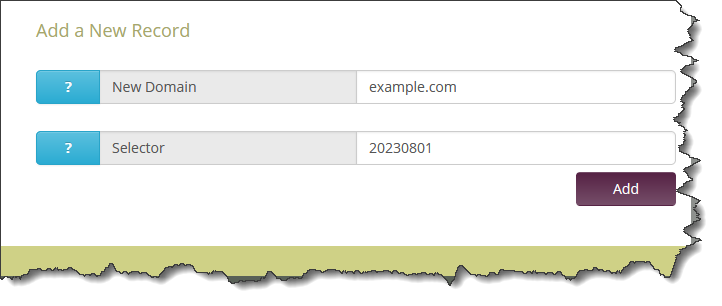
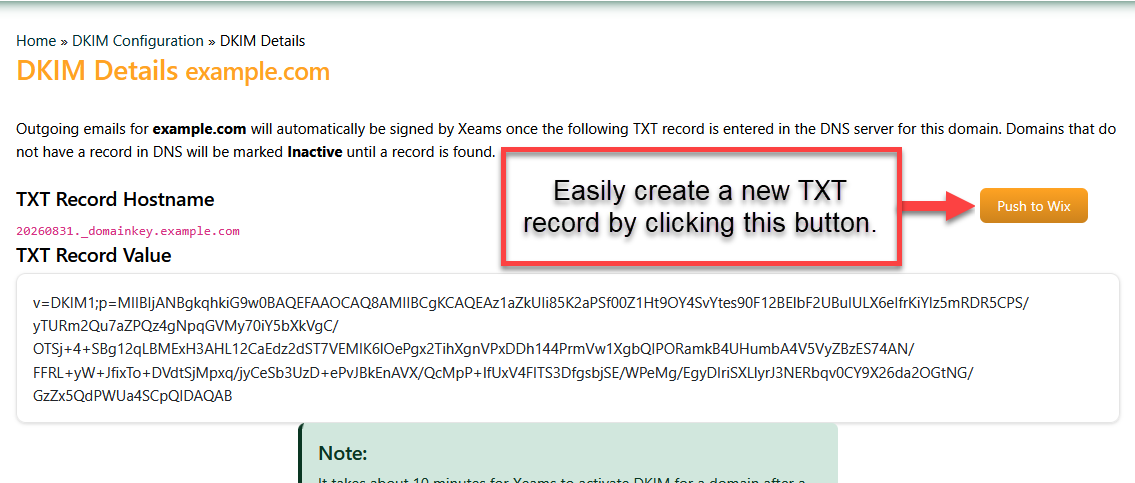
- Xeams creates a public/private key in the background and now asks you to paste your public key in your DNS server. Normally, you would have to
copy/paste these values into the DNS server yourselves. However, once Wix is integrated with Xeams, this step is just a click away.
Steps To Integrate
- Log in to your Xeams console as an administrator and click Tools/DNS Integration
- Select Wix from the Available Providers and click Add Integration
- Open another tab or browser window
- Log in to your Wix account
- Click the Generate API Key button on the upper right-hand corner.
- Expand the section for All account permissions and check Manage Domains and Manage Premium Subscriptions, as shown below.
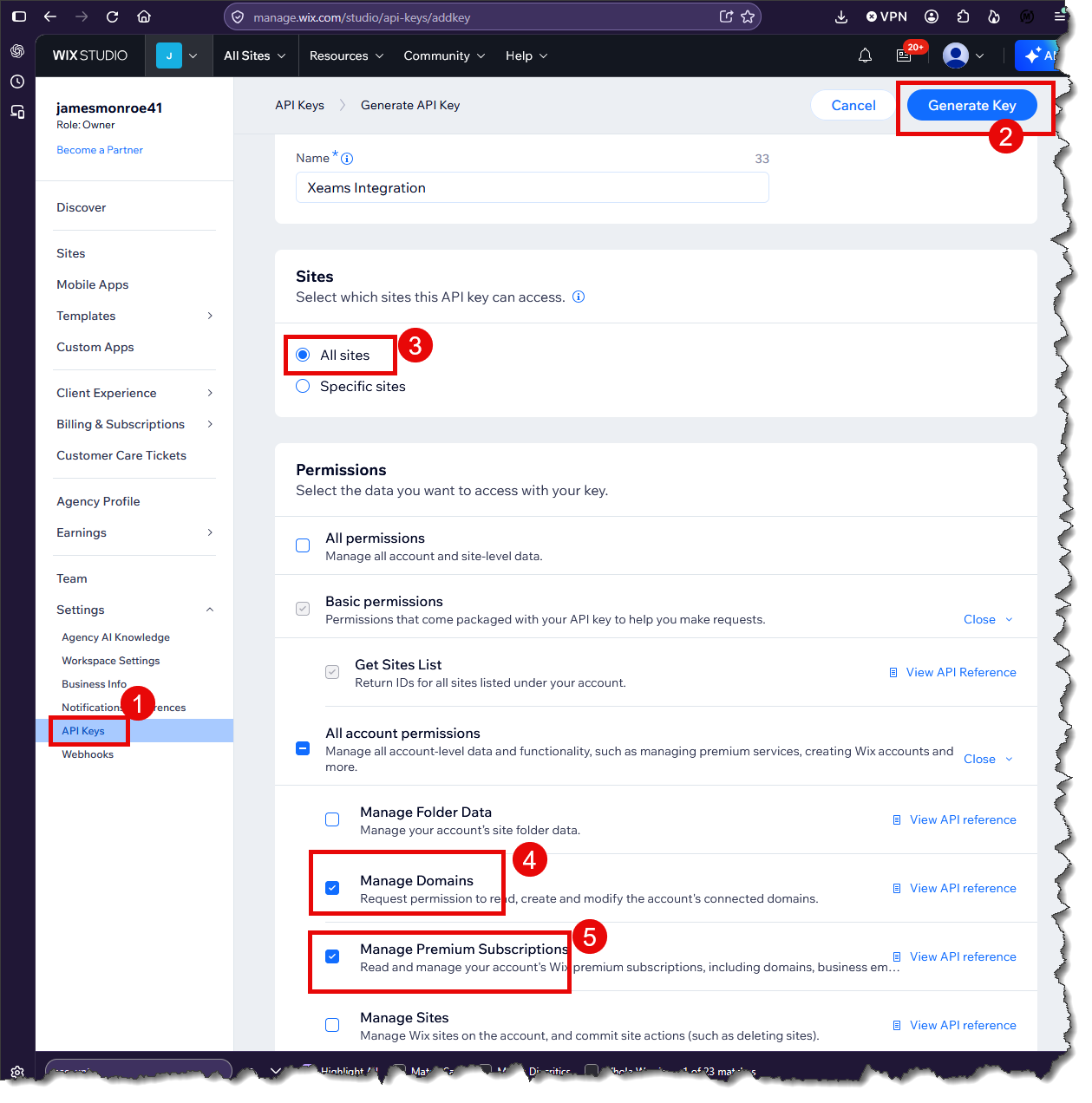
- Click the Generate Key button on the upper right-hand corner.
- The following screen will display your API key on a screen that looks like:
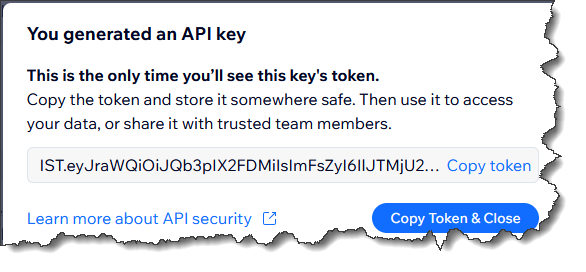
Copy this value and save it on a safe location. This is your API Key.
- The following screen will display your newly generated key, along with your Account ID, as shown below.
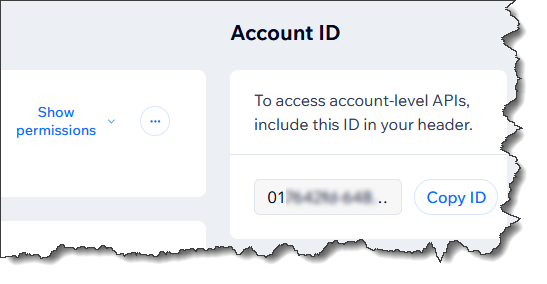
Copy this account number and save it as well.
- Switch back to the tab for Xeams.
- Enter a Friendly Name and copy/paste the values for API Key and Account ID from Wix's tab
- Click Add
- Once added, Xeams will pull a list of domains that are handled by your Wix account, cross reference them with your
configured domain names and display a count that matches.
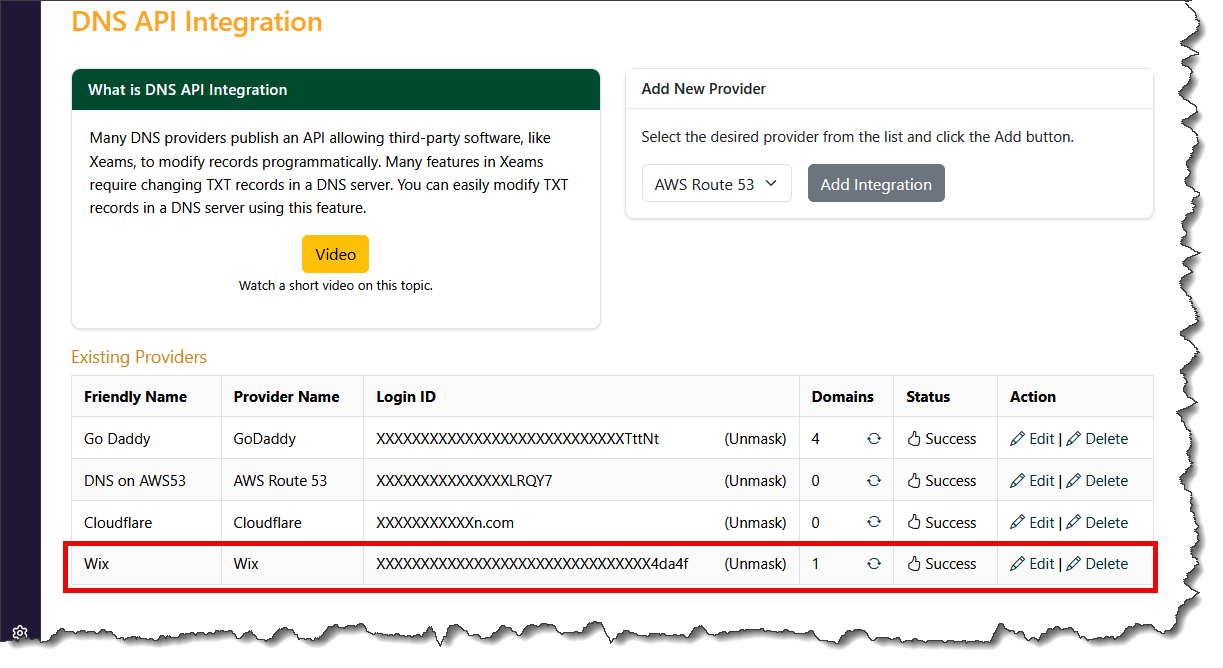
Handled Domains
Xeams pulls a list of domains that are handled by Wix and matches them with the domains that are configured in Xeams. For example, if you have 5 domains in Xeams but only 3 are handled by Wix, you will not be able to modify records for the other two domains.
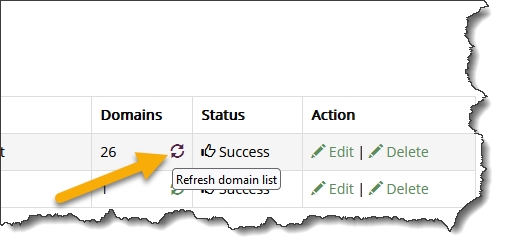
If you add another domain in Xeams at a later time, click the Refresh domain list button to recreate this mapping as shown below.